Design trends don’t die overnight, they fade, then stumble, then become liabilities. As designers and product teams we need to be ruthless about what we keep. In 2026, certain design choices are no longer just dated: they actively harm conversion, accessibility, and brand credibility. In this text we’ll walk through 16 specific patterns, styles, and habits to stop using now. For each item we explain why it’s losing ground, what problems it causes, and practical alternatives you can adopt today. Think of this as a surgical checklist: remove the bad, keep what works, and free up space for smarter design decisions.
Why These Design Choices Are Losing Ground Now
Three forces are reshaping what we consider good design: user expectations, performance constraints, and regulation. First, users are savvier, they expect fast, clear, and respectful experiences. Anything that sacrifices clarity for novelty (weird layouts, cryptic microcopy) now costs us trust and time-on-task. Second, performance matters more than ever. Mobile-first browsing, stricter Core Web Vitals, and AI-driven content pipelines mean heavy visuals and complex scripts are liabilities. Third, accessibility and legal compliance are no longer optional: weak contrast, tiny touch targets, or inaccessible navigation can cause real harm, to users and to the business.
We also see a cultural shift: audiences want authenticity and clarity. Overly stylized assets, ultra-generic hero photos, loud gradients, and faux-3D skeuomorphism, read as templated rather than crafted. While trends still matter, the winners in 2026 are design choices that scale: fast, usable, and inclusive. So when we say “stop using” a pattern in this guide, it’s because that pattern tends to break one of those three pillars. We’ll explain alternatives that retain aesthetic interest without trading away performance or accessibility.
Layout Patterns To Retire: Fixed-Width Templates, Full-Width Carousels, And Dense Grid Walls
Fixed-width templates were once a safe default: predictable gutters, centered content, neat columns. But as screen sizes diversify, foldables, ultra-wide monitors, and split-screen multitasking, rigid fixed-width layouts feel cramped on large displays and under-optimized on small ones. They also force awkward spacing decisions that can harm readability. Instead, we should embrace fluid layouts with responsive breakpoints and container queries so content adapts gracefully.
Full-width carousels are another victim. They promise “visual drama” but deliver low interaction rates, accessibility problems, and poor mobile performance. Users often ignore carousels or get confused by auto-rotation: they’re frequently the heaviest elements on a page. We recommend replacing carousels with a meaningful hero (single message), progressive disclosure, or a simple, accessible carousel alternative with clear controls and paused autoplay.
Finally, dense grid walls, pages that overwhelm users with dozens of equally emphasized cards, are falling out of favor. They create decision fatigue and bury hierarchy. We prefer curated lists, prioritized content tiers, and progressive reveal. A mix of larger hero cards plus smaller supporting cards drives action and guides the eye.
In short: move from rigid, decorative layouts to adaptable, hierarchy-driven patterns that respect user intent and device constraints.
Typography Moves To Ditch: Heavy All-Caps, Ultra-Condensed Sans, And Tiny Body Sizes
Typography communicates tone and credibility instantly. Some once-popular typographic choices now undermine readability and accessibility. Heavy all-caps headlines can feel shouty and are harder to scan, especially for people with dyslexia or visual impairments. Reserve all-caps for short labels or decorative accents: for headlines use mixed case with strong weight and spacing.
Ultra-condensed sans-serifs look modern on posters but collapse letterforms at small sizes and on lower-density screens. They reduce legibility, especially for long headlines and non-native readers. Choosing typefaces with generous open counters and moderate widths improves comprehension and reduces eye strain. Variable fonts give us the best of both worlds: we can use tighter styles for display and wider cuts for body text without loading multiple font families.
Tiny body sizes (12px and below) remain a major mistake. On mobile, small text forces pinch-zooming and increases bounce. Accessibility guidance suggests 16px base for body copy on web: we often bump to 18px for long-form content and consider line-length and leading. Good typography uses scale systems, clear hierarchies and consistent rhythm, not novelty sizing.
Practical swaps: adopt a readable base size, use responsive type scales, prefer typefaces designed for screen, and avoid condensed display fonts for primary content. That keeps copy accessible and the visual voice confident.
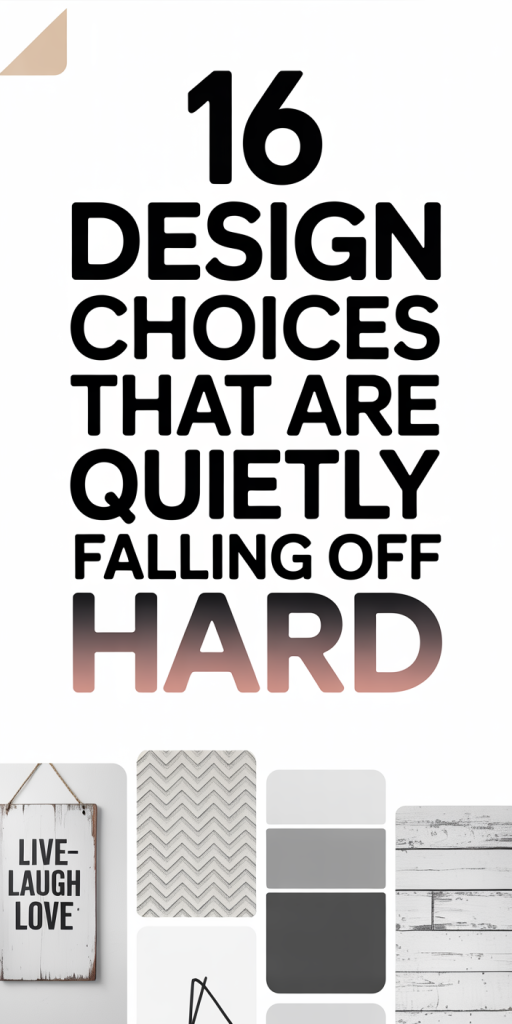
Color And Visual Style Shifts: Overly Saturated Palettes, Heavy Gradients, And Excessive Neumorphism
Color trends swing fast. A few years ago we embraced neon palettes and deep synthetic gradients: in 2026 those extremes often work against us. Overly saturated palettes can fatigue users, reduce perceived trustworthiness, and make accessibility (sufficient contrast) harder to achieve. We recommend refining palettes to purposeful primary colors with accessible contrast pairs and controlled accent tones.
Heavy gradients used to signify modernity, now they can feel dated when they’re loud or inconsistent. Subtle, context-aware gradients or tonal shifts work better: use them to add depth where needed, not as an all-over texture. Similarly, excessive neumorphism, soft shadows and raised surfaces mimicking tangible UI, is falling out of favor because it compromises contrast and clarity. It looks pretty in mockups but often fails when implemented across devices and interferes with recognizability of controls.
A growing alternative is restrained depth: clear elevation systems, intentional shadows, and tactile highlights that prioritize affordance and contrast. Also consider system-aware palettes (light/dark mode pairs) and color systems that adapt to branding while maintaining legibility. Finally, make accessibility checks part of palette design: use tools or automated checks to guarantee contrast, colorblind-safe combinations, and semantic token mapping.
In short, less theatrical color and more purposeful systems will win in 2026.
Imagery And Illustration That Feel Stale: Stocky Headshots, Generic Hero Photos, And Overused Vector Packs
Generic imagery makes brands look interchangeable. Stocky headshots, smiling people posed against white backgrounds, were a go-to for a decade, but they now read as templated and insincere. Generic hero photos (people pointing at screens, celebratory hands) and overused vector packs create visual sameness across industries. Users notice: they may not name it, but they feel a lack of originality.
We suggest three practical shifts. First, prioritize contextual imagery: real customers, behind-the-scenes candid shots, or product-in-context photos that tell specific stories. Second, avoid one-size-fits-all hero photos: choose single-image heroes with clear narrative intent or use animated micro-interactions for dynamism. Third, for illustrations, move away from ubiquitous vector packs toward bespoke art direction: modify stock vectors, commission spot illustrations, or adopt a limited system of shapes and colors that reinforce brand personality without copying the same library everyone else uses.
Also consider performance: large, high-resolution images and unoptimized SVGs slow pages. Use responsive image techniques, modern formats (AVIF/WebP), and lazy-loading with meaningful placeholders. Finally, invest in alt text and descriptive captions to improve accessibility and SEO. Authentic imagery builds trust: generic imagery erodes it.
Interaction And Navigation Habits To Rethink: Hidden Menus, Long Mega-Menus, And Endless Infinite Scroll
Interaction patterns that trade discoverability for minimalism are under scrutiny. Hidden menus (hamburgers for desktop, tucked-away controls) look clean but reduce discoverability, especially for new or infrequent users. Navigation is a product feature: burying primary actions behind terse icons or hidden trays increases task time and frustrates people. We recommend making key actions explicit and using progressive disclosure for secondary items.
Long mega-menus, huge dropdowns with dozens of links, were meant to surface options but often create choice paralysis. They can be overwhelming on touch devices and are difficult to make accessible. Instead, we prefer curated primary navigation with contextual in-page faceting or flyouts that reveal only closely related items.
Infinite scroll is another fading pattern. For social feeds it still makes sense, but for product catalogs, articles, and search results it harms findability and discoverability. Users want to know their progress, land on distinct pages, and share precise URLs. Consider paginated or “Load more” patterns with meaningful states and clear anchors.
Finally, micro-interactions should communicate state changes clearly and accessibly. Use motion sparingly and always provide controls to reduce motion for users who prefer it. Rethinking these interaction habits increases clarity and reduces cognitive load.
Microcopy, Icons, And Accessibility Missteps: Cryptic CTAs, Decorative-Only Icons, And Small Touch Targets
Microcopy is tiny but consequential. Cryptic CTAs like “Learn More” or vague button labels slow conversions because they don’t explain the outcome. We should write action-oriented microcopy: “Download spec (PDF)”, “Start 14-day trial, no card”, or “Compare plans”, language that sets expectations and reduces friction.
Icons are useful but often misused as decoration. Decorative-only icons without text alternatives or labels create accessibility gaps: screen reader users miss meaning and sighted users may misinterpret icons if they’re nonstandard. Pair icons with concise labels, use standard glyphs for common actions, and ensure SVGs have appropriate aria-hidden or title attributes.
Small touch targets remain a persistent problem. Buttons and interactive controls under 44–48px are hard to tap, especially for users with motor impairments. We should adopt minimum target sizes, generous spacing, and clear active states. Also, use focus-visible outlines for keyboard users and don’t remove them for aesthetics.
Accessibility isn’t a checklist, it’s an experience mindset. Regular audits, inclusive testing with assistive tech, and writing descriptive alt text and labels are essential. Microcopy and iconography that prioritize clarity directly improve usability and conversions.
Conclusion
Trends change, but good design principles persist: clarity, performance, and respect for users. In 2026 we’ll see continued pruning of flashy but fragile choices, fixed-width layouts, heavy carousels, saturated palettes, and generic imagery, in favor of adaptable, accessible systems. As teams we should audit existing products against these 16 items, prioritize fixes that unblock accessibility and performance wins, and keep design systems lean and purpose-driven. Stopping the bad patterns isn’t about being conservative: it’s about freeing creative energy to solve real user problems. Let’s remove what’s failing, measure the impact, and make space for design that truly helps people.

Leave a Reply